What is MFA Fatigue?
MFA fatigue is an attack where a threat actor repeatedly sends authentication prompts or notifications to a victim's MFA application.
The technique only works if the attacker already has the target's account credentials. Those credentials may have come from phishing, a previous data breach, password reuse, or credentials purchased online.
Once the attacker has a valid username and password, they repeatedly attempt to sign in. Each attempt generates another MFA prompt for the user.
The hope is simple: eventually the user gets annoyed, confused, or assumes something is broken and approves one of the requests.
Multifactor Authentication Fatigue Demo Video
https://www.youtube.com/watch?v=81zbtlOMTzU
Video credit: GoSecure
Recommendations to Lower the Risk of Unauthorized Access
There isn't one control we can implement that completely prevents unauthorized access.
This is why I prefer a defense-in-depth approach. We should avoid relying on a single signal or condition to decide whether someone should have access to a resource.
Below are a few areas I think are worth revisiting when looking at MFA fatigue and similar account takeover attacks.
Some of these may seem basic, but the basics are often where gaps appear.
Understand Who Has Access
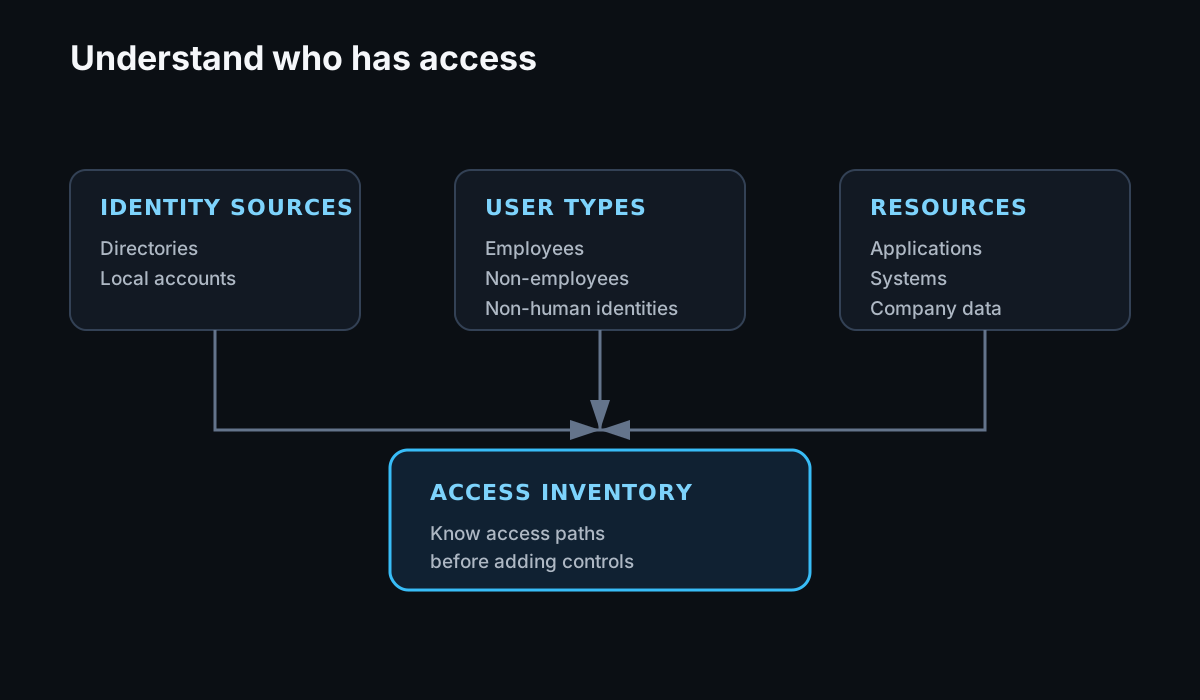
Before adding more authentication controls, we need to understand which accounts can access the organization and its resources.
A few things I would start with:
- Inventory your accounts and make sure you understand which identities have access to the organization.
- Enrich those accounts with attributes such as employment status, role, department, and other data that can support contextual access decisions.
- Identify every entry point into the organization so the processes managing account creation, changes, and removal cover the full account lifecycle.
This sounds straightforward, but it becomes harder as organizations add SaaS applications, contractors, service accounts, local application accounts, and multiple identity sources.
If we don't have a reliable inventory of identities and access paths, it becomes difficult to know whether the authentication controls we're adding actually cover the environment.
FIDO is Key — Pun Intended
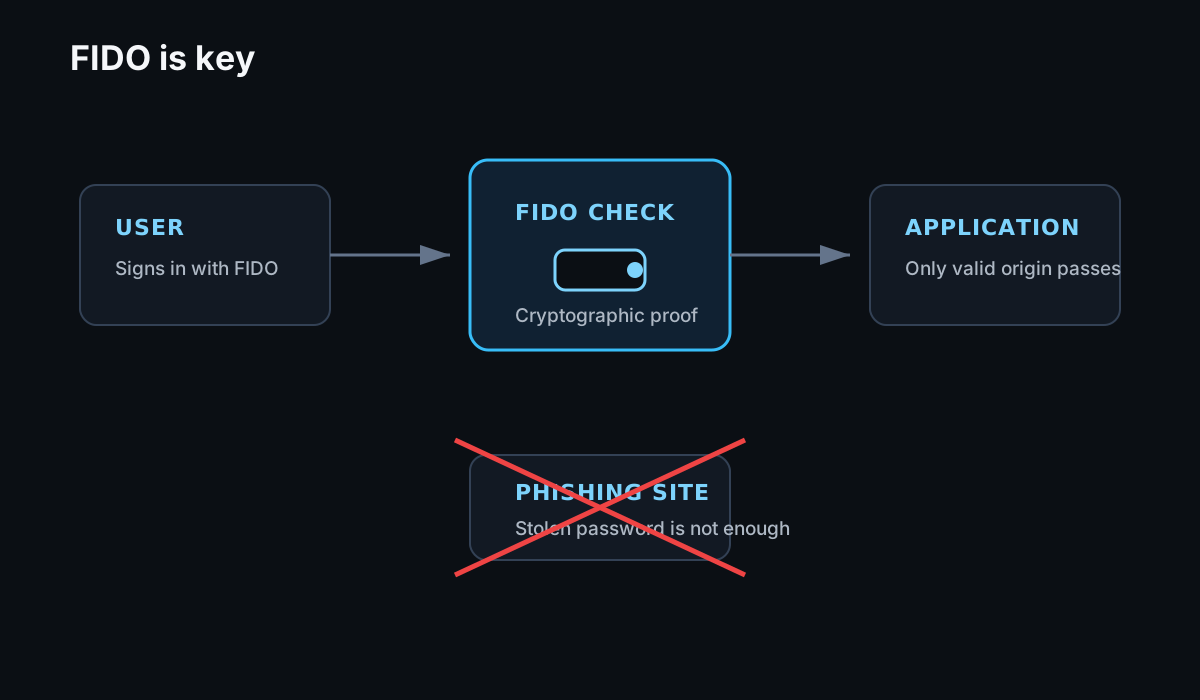
FIDO authentication is one of the strongest options we have for reducing phishing-based account takeover.
Unlike a simple push notification, FIDO authentication uses public-key cryptography and binds the authentication attempt to the legitimate service. That makes it much harder for an attacker to trick a user into approving a remote authentication request.
Where possible, I would:
- Make FIDO-based authentication the default for accessing sensitive resources.
- Revisit authenticators built directly into managed devices.
- Consider hardware security keys such as YubiKeys where they make sense.
The authenticator you choose still needs to work for your users.
Security controls that create too much friction often result in workarounds, support issues, or weaker recovery processes. The goal is strong authentication without making normal access unnecessarily painful.
Do We Own the Device?
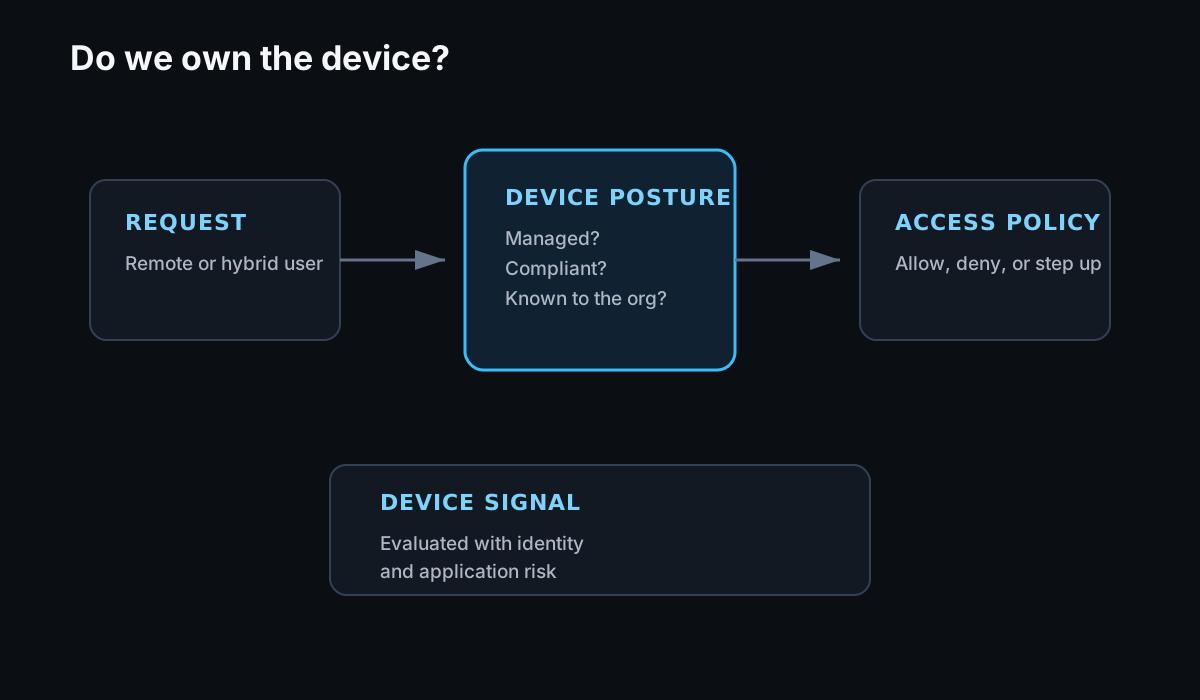
The way we work has changed significantly, particularly with remote and hybrid work.
That makes device context increasingly useful when deciding whether someone should be able to access company resources.
Where it makes sense, I would consider:
- Allowing company resources to be accessed only from managed devices by default.
- Associating devices with users so we understand who is using them.
- Making sure the device lifecycle process handles employee changes, device replacements, terminations, and lost or stolen devices.
A managed device by itself is not proof that a request is safe.
But when device state is combined with identity, authentication method, application sensitivity, and other context, it gives us a much stronger basis for making an access decision.
Application Access Policies
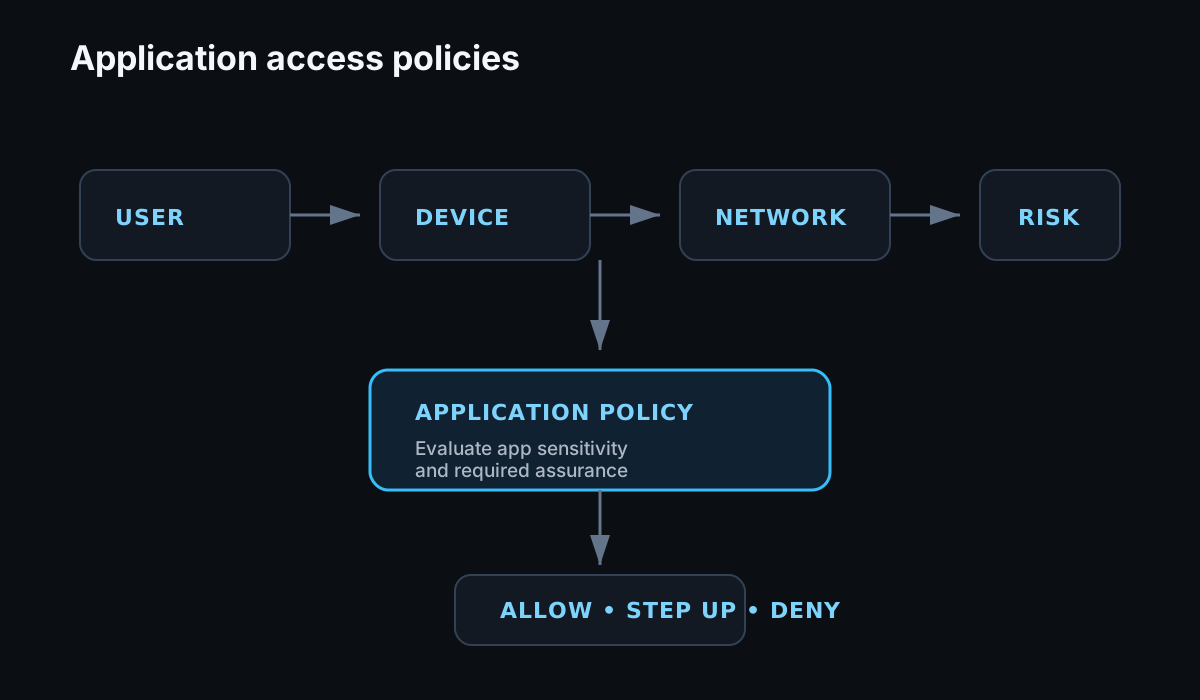
This is where application and global access policies start to become useful.
Once we understand the user, the device, and the authentication methods available, we can begin making more contextual access decisions.
For example, instead of saying:
Anyone with a valid account and MFA can access this application.
We can define something closer to:
Employees using a managed device can access this application after authenticating with a FIDO-based authenticator.
That gives us several independent signals:
User
    ↓
Employee?

Device
    ↓
Managed?

Application
    ↓
Allowed for this user?

Authentication
    ↓
FIDO?
The resulting policy might look conceptually like this:
IF
    user.type == employee
AND
    device.managed == true
AND
    authenticator == FIDO
THEN
    allow access
ELSE
    deny or require additional verification
This is much stronger than treating every successful MFA event as equivalent.
It also gives us room to apply different requirements depending on the application.
Access to a low-risk internal tool may not need the same controls as access to production infrastructure, payroll, or an administrative console.
Final Take
We can't ignore the social-engineering component of MFA fatigue.
Technology can make these attacks significantly harder, but users should also understand what an MFA fatigue attack looks like and what they should do when it happens.
Security awareness plays an important role here.
That doesn't mean repeatedly sending phishing simulations or burying the topic inside an annual security-training course.
I would rather tell users directly:
- You should only approve an MFA request you initiated.
- Multiple unexpected authentication prompts may mean someone already has your password.
- Do not approve a request simply to make the notifications stop.
- Know how to report unexpected MFA prompts.
- Know how the IT or Security team normally communicates with you during account or identity-related incidents.
Users should also understand the normal processes used by the IT and Security teams.
If someone claiming to be from support asks a user to approve an MFA request, that user should know whether that is something the support team would ever legitimately ask them to do.
I've simplified the controls here considerably. Identity inventories, device trust, phishing-resistant authentication, access policies, and lifecycle management each deserve a deeper discussion.
I'll dig into those areas in future articles as I continue exploring ways to mature an Identity and Access Management program.
Thanks for reading my first post.
I'm hoping to use this space to share what I'm learning, explore IAM problems in more detail, and get into some of the technical implementation behind these controls.