I wanted to explore Okta Policies and how they fit into identity and access management within the Okta ecosystem.
Whether you're new to Okta or have been working with it for a while, understanding how policies are structured makes it much easier to reason about how access decisions are made.
This is the first article in a short series looking at how Okta Policies work and how I approach configuring them.
Understanding Okta Policies
Okta Policies are the rules and conditions that control who can access applications and APIs, and under what circumstances.
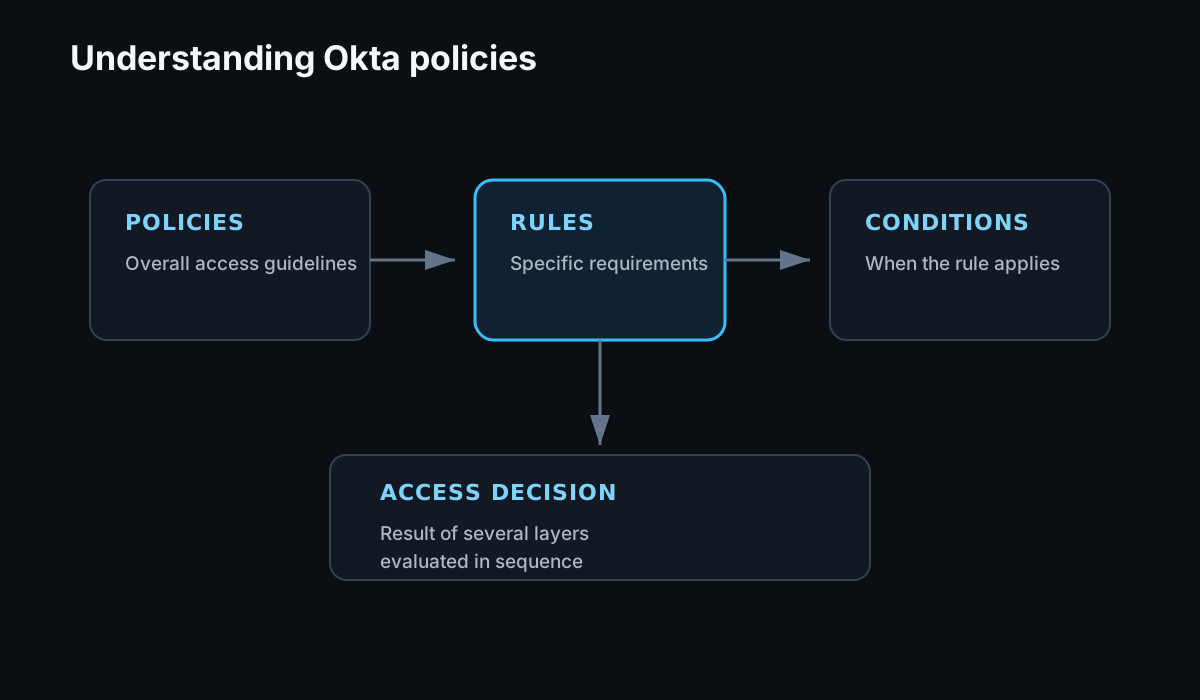
The policy framework is made up of three main pieces:
- Policies define the overall access guidelines.
- Rules add more specific requirements within a policy.
- Conditions determine when those rules apply.
Understanding how those three pieces work together is important because the final access decision is often the result of several layers being evaluated in sequence.
The Essential Types of Okta Policies
There are several types of policies in Okta, but these are the ones I find most useful to understand first.
Global Session Policy
The Global Session Policy controls session management across the Okta environment.
It determines things such as:
- How long a user session can remain active.
- When a user needs to re-authenticate.
- The conditions required to establish or maintain a session.
This gives me a baseline for how authentication should behave across the organization before I start applying application-specific requirements.
MFA Enrollment Policy
The MFA Enrollment Policy controls how users enroll in multifactor authentication methods.
It can be used to define:
- Which authenticators are available.
- Which authenticators users are required to enroll in.
- Which users or groups those requirements apply to.
This is important because authentication requirements are only useful if users have the appropriate authenticators enrolled and available when they need them.
Password Policy
Password Policies control password requirements and recovery operations.
This includes things such as:
- Password length and complexity requirements.
- Password history and reuse.
- Password recovery.
- Self-service password reset and unlock workflows.
Even as organizations move toward stronger authentication methods, password policy still matters because password recovery can become another path into an account if it is not designed carefully.
Application Access Policies
Application Access Policies let me define access requirements for individual applications.
This is where more contextual decisions can be made based on things such as:
- User or group membership.
- Device state.
- Location or network zone.
- Authentication method.
- Risk signals.
For example, an application containing sensitive financial information might require stronger authentication or access from a managed device, while a lower-risk application may have different requirements.
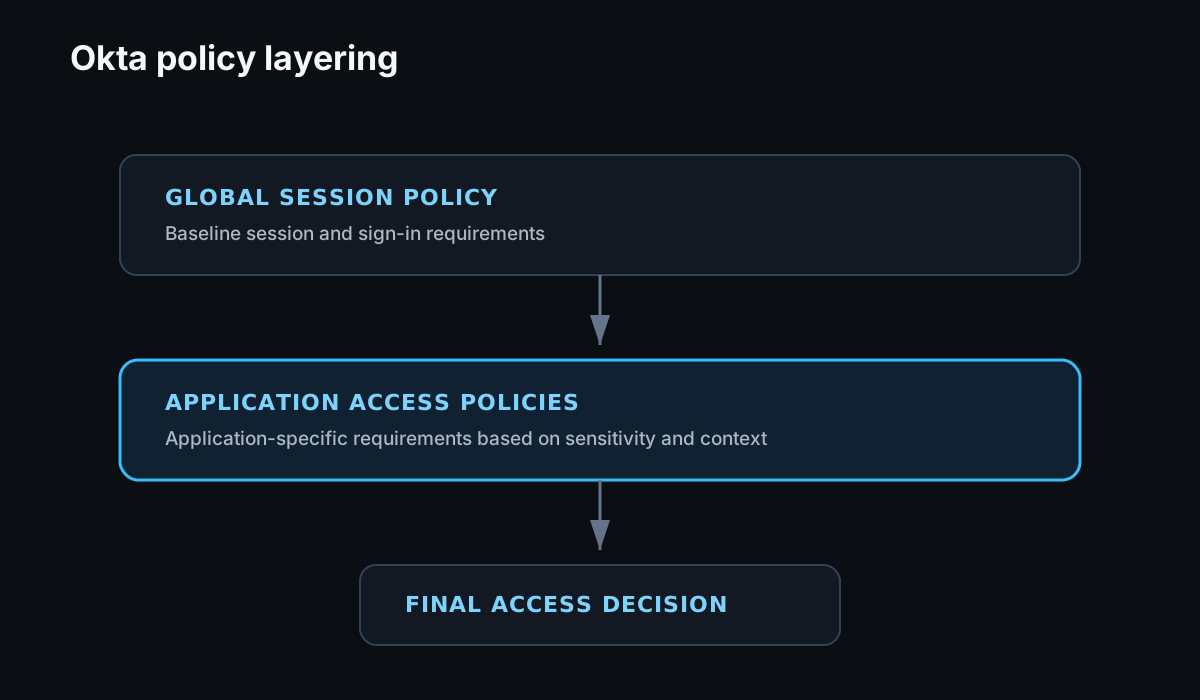
The relationship between the Global Session Policy and Application Access Policies is especially important.
The Global Session Policy establishes the baseline for the user's Okta session. Once that session is valid, the Application Access Policy can apply additional requirements for the specific application being requested.
Evaluating Okta Policies: Layered Security in Action
The easiest way I found to understand Okta Policy evaluation is to think about it as a layered process.
Start With the Global Session Policy
The Global Session Policy establishes the baseline authentication requirements for the organization.
It determines whether the user's session is valid and whether additional authentication is required before that session can continue.
For example, the policy may define how long a session can remain inactive before the user needs to authenticate again.
Then Evaluate the Application Access Policy
Once the session requirements are satisfied, Okta evaluates the policy associated with the application the user is trying to access.
This gives me a place to add controls that are specific to that application's sensitivity.
An application containing sensitive data might require an additional authentication factor, a managed device, or access from a particular network location.
The Layered Approach in Practice
Consider a user attempting to access a confidential financial application.
First, the Global Session Policy checks whether the user's Okta session is active and still meets the organization's session requirements.
Then the Application Access Policy for the financial application is evaluated.
Because the application contains sensitive data, that policy might require an additional factor even though the user already has a valid Okta session.
That means a valid session does not automatically mean a user can access every application.
The application can still enforce stronger requirements based on its own risk and sensitivity.
Customize Policies for the Organization
Okta Policies are highly customizable, which is useful because every organization has different users, applications, and risk tolerances.
I would avoid treating the initial configuration as something that can be set once and forgotten.
Policies should be reviewed as the environment changes, including:
- New applications.
- New user populations.
- Changes in how people work.
- New authentication methods.
- Changes in threat patterns.
Understanding how these policies are evaluated makes it much easier to predict how a configuration change will affect a user's access before making that change broadly.
Conclusion
This is only an introduction to Okta Policies, but understanding the relationship between policies, rules, conditions, and policy evaluation gives me the foundation I need before getting into more detailed configuration.
In the next article, I'll look at some of the practices I use when configuring Okta Policies and access controls.